
Getting Started with PADMA
Automatic translation. View original
If you are new to Padma, welcome-welcome!
- How to access Padma from your school
- Register contacts
- Customized contact lists
- Monitoring indexes
- Registration form
- Monitoring pedagogical participation
How to access Padma from your school
To have access, the principal (or the system administrator at your school) needs to send an invitation to you, then you must enter a link that was sent to your e-mail.
Release different Padma functions for team instructors
Register contacts
In Padma prospects, students and former-students are all ‘Contacts’.
Manually register a new contact
You can register your contacts through the form:
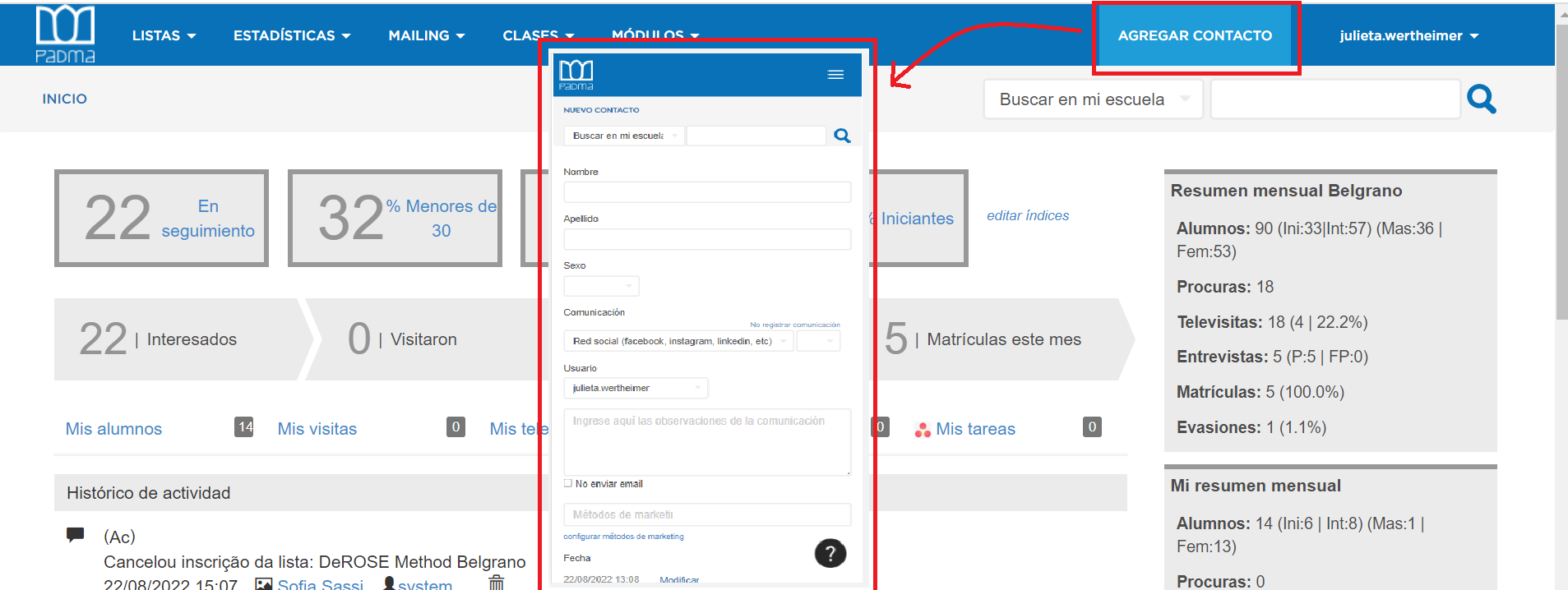
Important: complete some mandatory fields to save the registration. For example: coefficient and mkt method.
Automatically register contacts
Registration can be done automatically via Learn or through various integrations: Automation of leads / contacts registrations
Customized contact lists
You can create lists with data of your interest to speed up your searches. This can be used for good monitoring of students and prospects.
Create a list in PADMA and save a search
Monitoring indexes
On the home page, the first thing you will find are two rows with monitoring indexes.
The boxes serve for you to determine which customized information you want to put there, whether of students or prospects.
The second row is related to marketing, it would be a "timeline" that suggests you move to the next action. Have on hand the number of people who contacted you, which of them visited, if they took a trial class and which of them enrolled in the month.
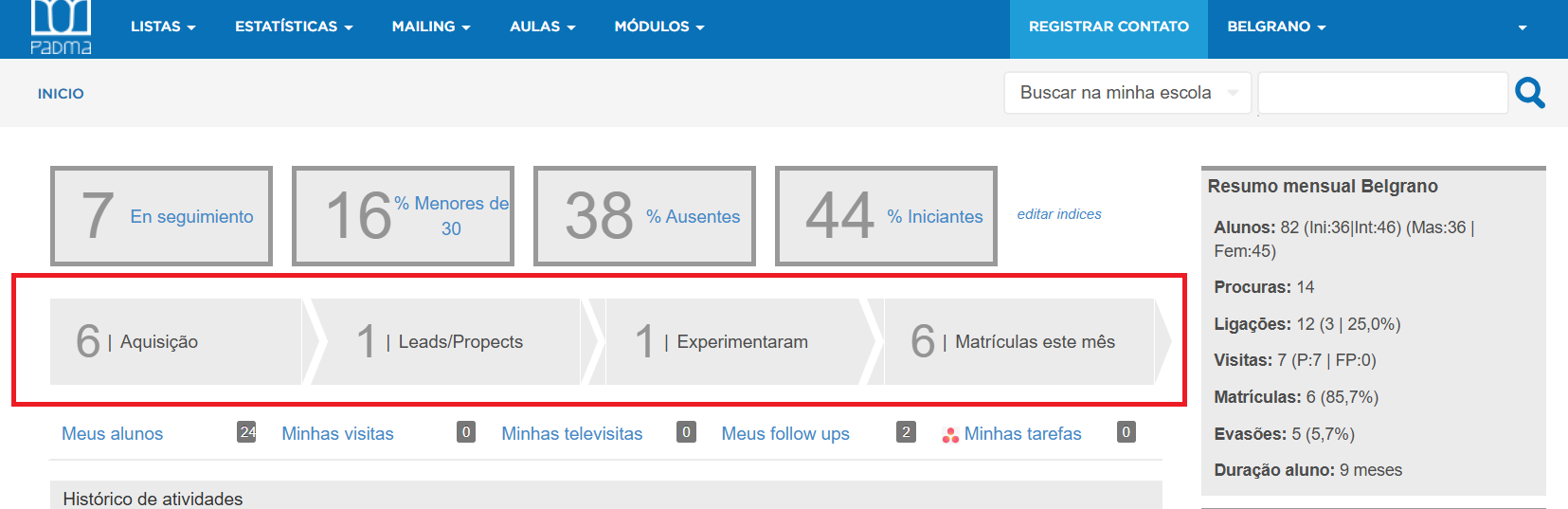
Acquisition: prospects of the month, without coefficient classification
Leads/prospects: contacts under monitoring considered profiles
Tried: prospect who took a class (has a check-in on Learn)
Enrollments: number of enrollments in the month
This information can be used to carry out a targeted campaign, make interested people visit the school and then offer a trial period or, better yet, enroll-directly 💪.
Enrollment form
Share the Enrollment Forms / Liability with your prospects and their data will be saved in their profiles.
You can set up an automatic e-mail to send the form or create your own contract using forms with digital signature via Integration with eSignatures via Zapier.
Monitoring pedagogical participation
We recommend tracking classes and attendance in Learn and taking advantage of the integration between both systems.
Here you find more information: Getting started with Learn