Check-ins (Enhanced Attendance)
Automatic translation. View original
Check-in is similar to the old PADMA attendance. A check-in represents that someone attended a class, watched a video, read an article, practiced with a timer, etc.
With the Learn platform you no longer need to manually register attendance 😀
Automatic Check-ins
In LIVE posts a check-in is automatically generated when the user accesses the broadcast.
In in-person classes a check-in is automatically generated at the class time for users who have a reservation for that class. (see Bookings - Reservations)
On on-demand videos using Vimeo or YouTube the check-in is automatically generated when the user watches 80% of the video.
In articles the check-in is automatically generated when the estimated reading time passes with the article open.
In published timers the check-in is automatically generated when the timer finishes.
Manual Check-in
This tool is exclusive to Learn PREMIUM. Not available in the free version.
You can manually register check-ins from the App del instructor.
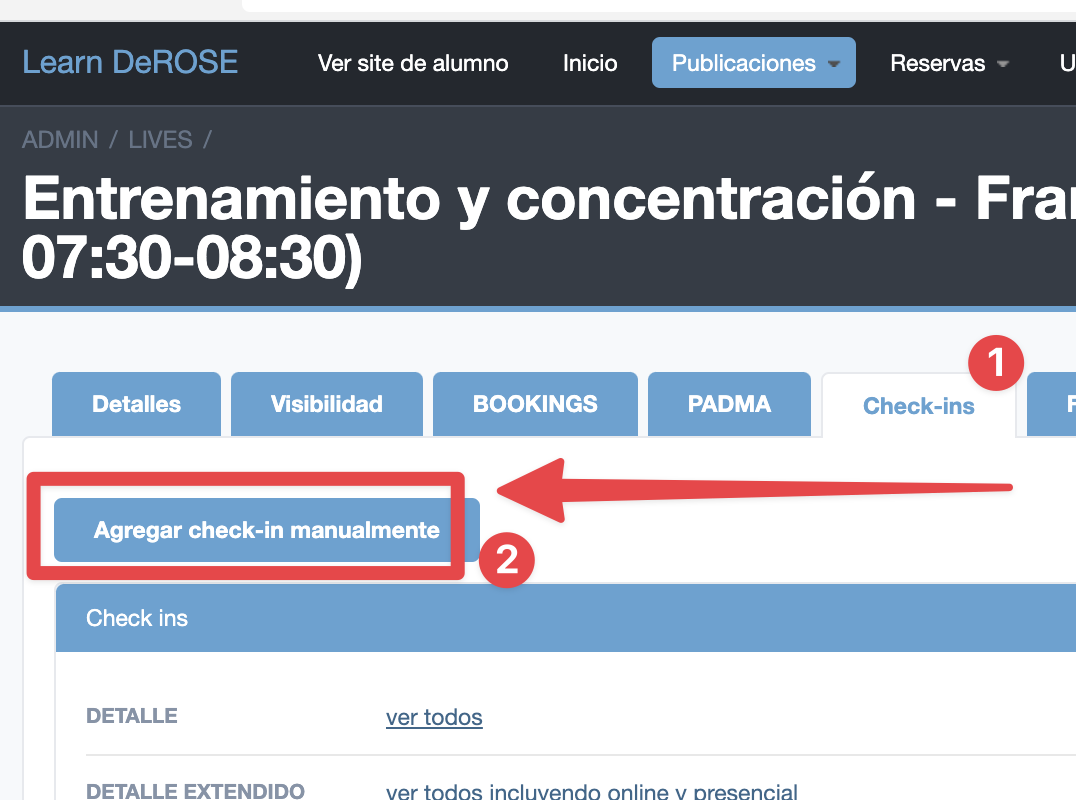
You can also manually register a check-in in a Learn class in the advanced panel
Last time attended
Check-in in Live or In-person class automatically updates the “last time attended” field in CRM/PADMA.
In Learn you can enable the option for check-ins in videos to also update this field.
Participation Reports
This tool is exclusive to Learn PREMIUM. Not available in the free version.
From the check-ins already registered in PADMA we record the date of the student's last class and there is also a distribution report by instructor in Learn for your Participative Management closures.
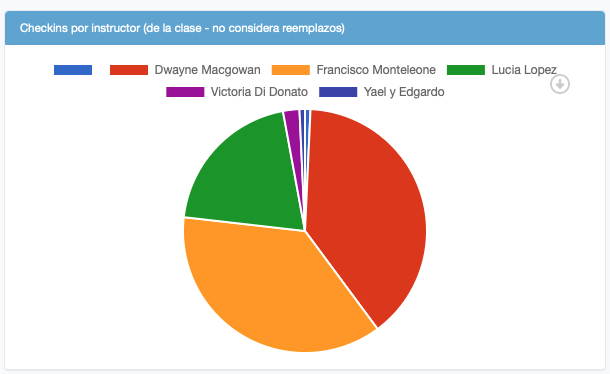
There is a distribution report of check-ins by instructor
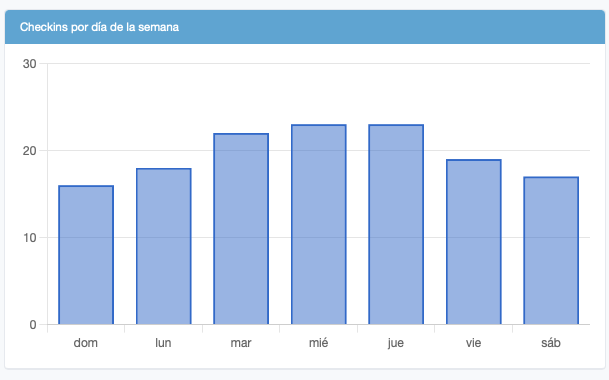
You can assess which days of the week have the most check-ins
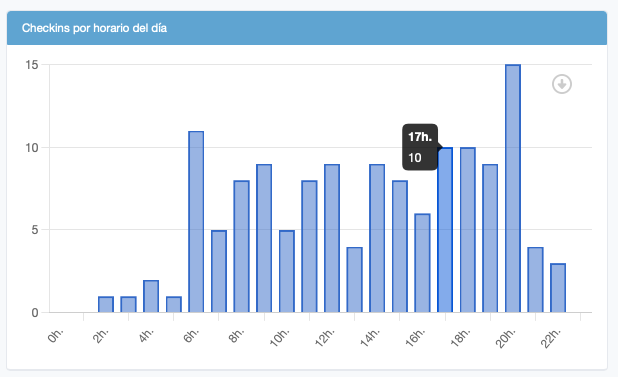
Or at what times there are more check-ins