
Access configuration in FREE account
Automatic translation. View original
Free Learn accounts you can manually enable or disable a user's access.
Activated users will have access to ondemand, live, in-person content and the Explorer.
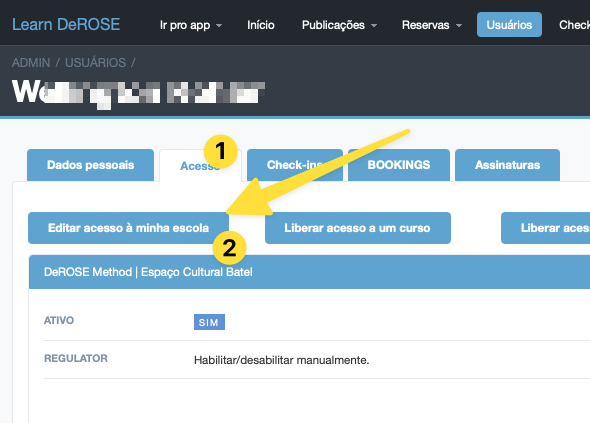
To enable a user's access go to the “Access” tab in the user's profile on the advanced panel and click “Edit access to my school”:
there you can enable or disable the user's access:
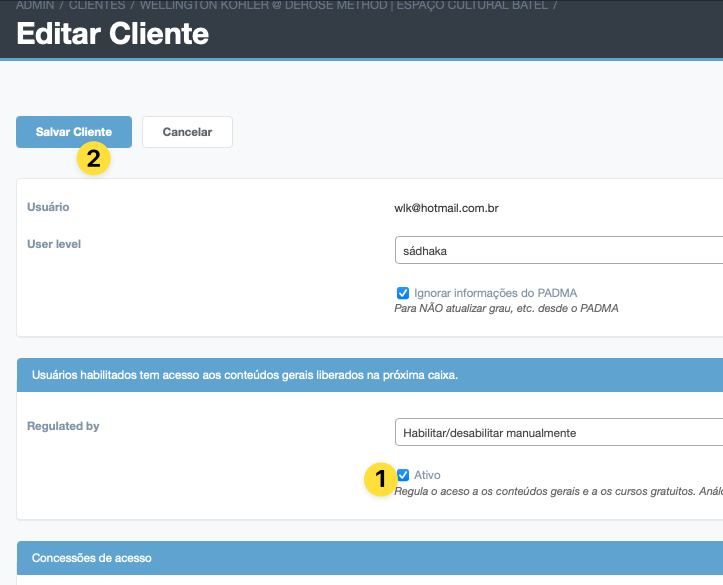
Click save client when finished