
Courses
Automatic translation. View original
This tool is exclusive to Learn PREMIUM. Not available in the free version.
Courses are ways to relate content. You can use them in various ways, customizing them according to your own needs:
- to organize study groups
- to manage content of recorded classes for younger students - introductory classes -
-
for paid courses requiring registration
Step-by-step to create courses
We address issues such as: visibility, whether or not there should be registration (payment buttons), order and content release.
Step-by-step to create courses with paid registration
Watch here 👉 https://learn.derose.app/p/learn-como-riar-curso-com-inscricao
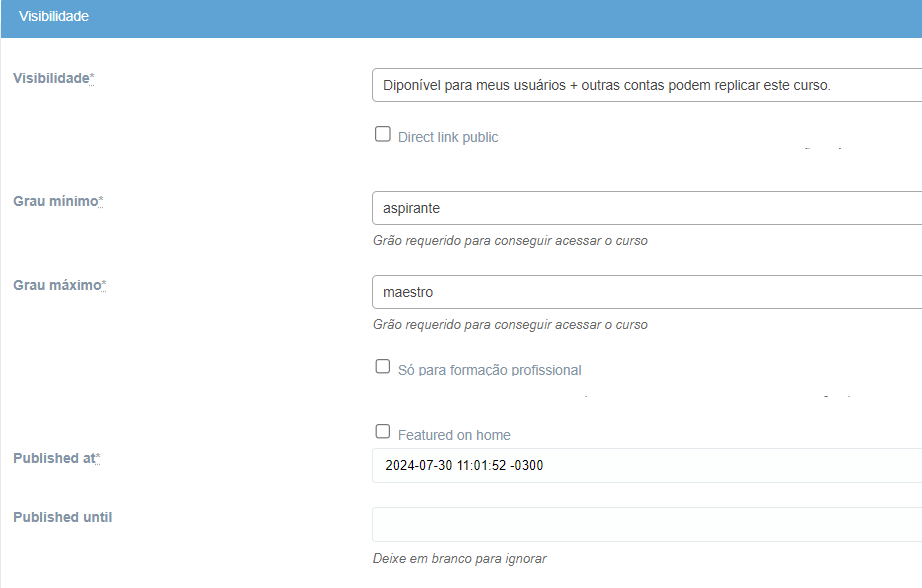
Visibility
As with all publications, it is possible to choose who sees the content, both by student grade and by schools.
Publications
Publications can be organized by publication date, manually or by title. Guiding students to take classes in a certain order.
They may contain publications that are available for a certain grade, but if the person is in the course, this limitation may be ignored.
How to add a publication to the course:
Drip content - gradually released content
You have the option to configure the user to see the entire course content, but that it is released gradually:
- when the previous publication has been made
- after a certain period of time from registration
- on a specific date
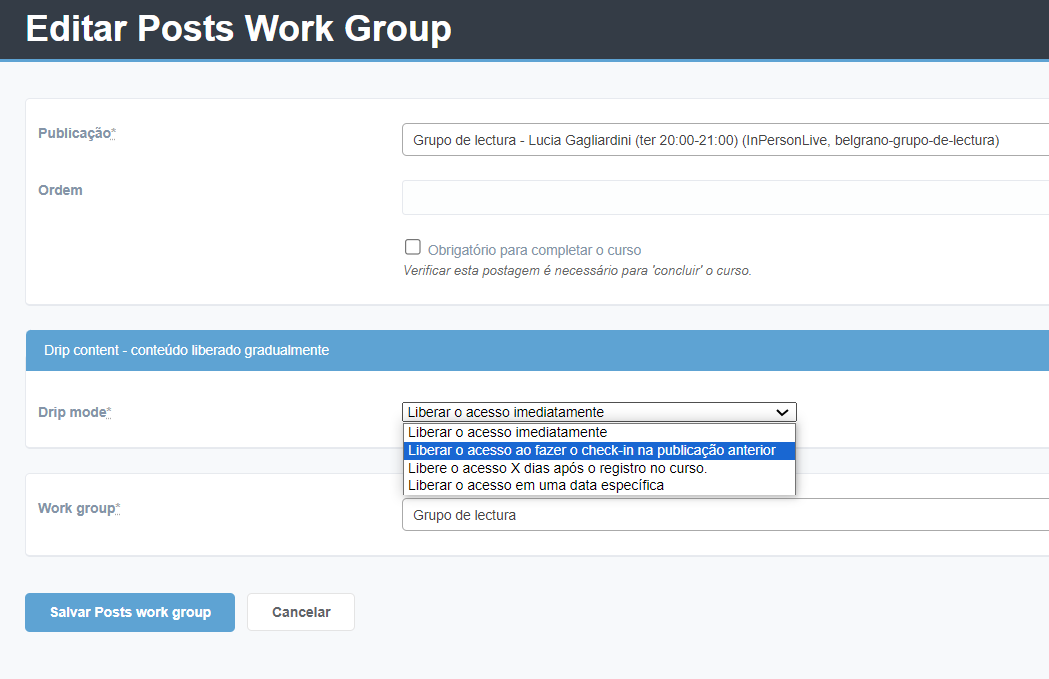
And this is how Drip Content looks
This tool is exclusive to Learn PREMIUM. Not available in the free version.