
Getting Started with PADMA
Automatic translation. View original
If you are new to Padma, welcome!
- How to access your school's Padma
- Register contacts
- Custom contact lists
- Tracking indexes
- Enrollment form
- Monitoring pedagogical participation
How to access your school's Padma
To join the school team, ask someone with the Administration role to send an invitation. Follow the step-by-step to join via the invitation.
Enable different Padma functions for the team's instructors
Register contacts
In Padma prospects, students, and alumni are all 'Contacts'.
Manually register a new contact
You can register your contacts via the form:
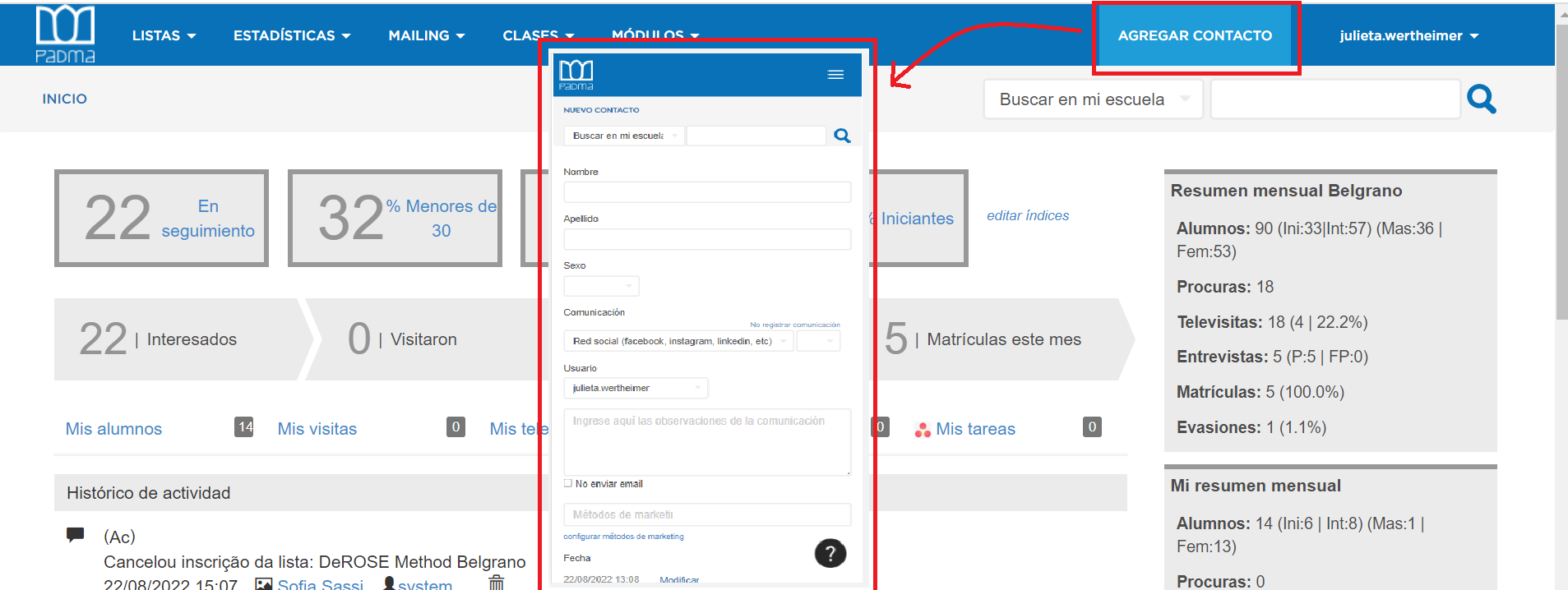
Important: complete some required fields to save the registration. For example: coefficient and marketing method.
Automatically register contacts
The registration can be done automatically via Learn or through various integrations: Automation of lead / contact registrations
Custom contact lists
You can create lists with data of your interest to speed up your searches. This can be used for good monitoring of students and prospects.
Create a list in PADMA and save a search
Tracking indexes
On the home page, the first thing you will find are two rows with tracking indexes.
The boxes serve for you to determine which customized information you want to place there, whether from students or prospects.
The second line is related to marketing, it would be a "timeline" that suggests you move on to the next action. Having on hand the number of people who contacted you, which of them visited, if they took a trial class and which of them enrolled in the month.
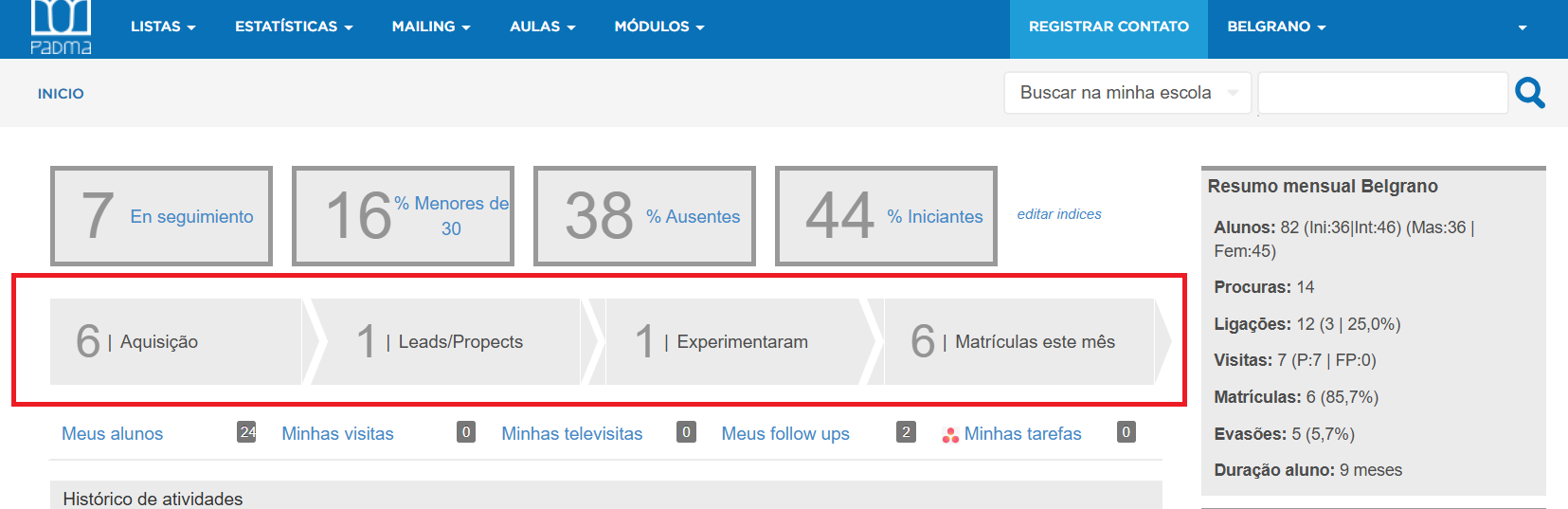
Acquisition: prospects of the month, without coefficient classification
Leads/prospects: contacts in follow-up considered profiles
Tried: prospect who took a class (has a check-in on Learn)
Enrollments: number of enrollments in the month
This information can be used to carry out a targeted campaign, make interested people visit the school and then offer a trial period or, even better, enroll directly 💪.
Enrollment form
Share the Enrollment Forms / Liability with your prospects and their data will be saved in their profiles.
You can set up an automatic email to send the form or create your own contract using the forms with digital signature via Integration with eSignatures via Zapier.
Follow-up of pedagogical participation
We recommend controlling classes and attendance on Learn and take advantage of the integration between both systems.
Here you find more information: Getting started on Learn