
Visibility of publications
Automatic translation. View original
Set the visibility criteria for each of your publications
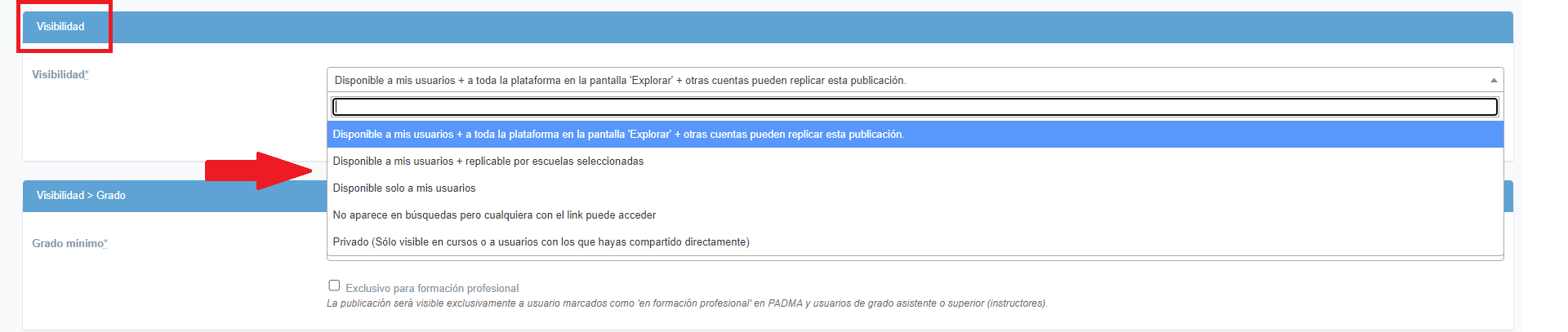
“Available to my users + the entire platform”: the publication will be visible to authorized users of your school, to users from other schools with access to the explorer and will be available for other schools to share with their users and incorporate into courses.
In addition, any authorized platform user will be able to access the publication through its link.
“Available to my users + replicable by selected schools”: the publication will be visible to authorized users of your school and will be available for the schools you select to share this content with their users. [ ⚠️ Premium only ]
“Available only to my users”: only authorized users in your school will have access to the content. [ ⚠️ Premium only ]
“Does not appear in search, but anyone with the link can access”: this publication will not be visible in the feed on demand of your users, nor can it be shared by other schools. But anyone with the link can access-it, regardless of whether the person has a Learn user account or not
“Private”: this publication will not be visible in the on-demand feed of your users. Only users with manually granted access or if the publication [ ⚠️ Premium only ]
What is the direct link?
An option for people without a user account to access the publication
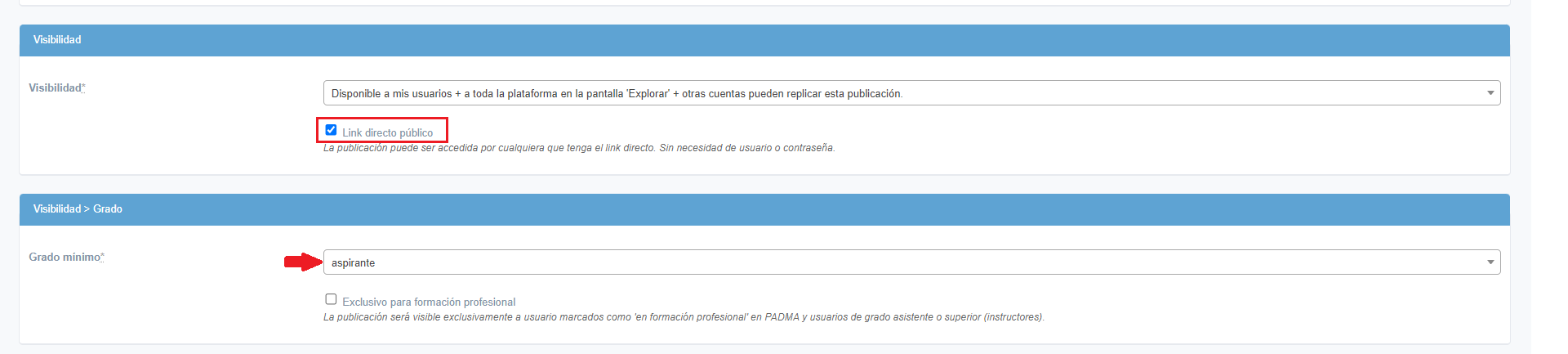
By checking this box, the publication will be available to anyone who has the link, whether registered in Learn or not. To enable the direct link, the publication must have the aspirant level.
This option is automatically enabled when visibility is set to: “Does not appear in search, but anyone with the link can access”.
Levels
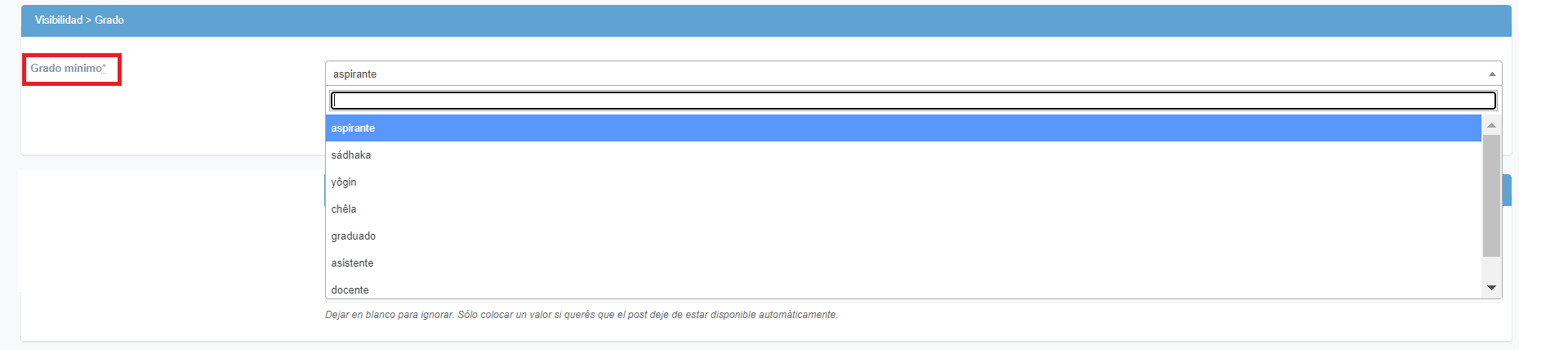
⚠ It is important that publications have the correct level, especially those shared with all schools. This is because each school may be stricter regarding the content it shares with its users, depending on the level.
Example:
If the publication contains Sanskrit or terms like pūjā and mantra, the level should be yellow or higher
Include the publication in courses at the time of creation
[ ⚠️ Premium only ]
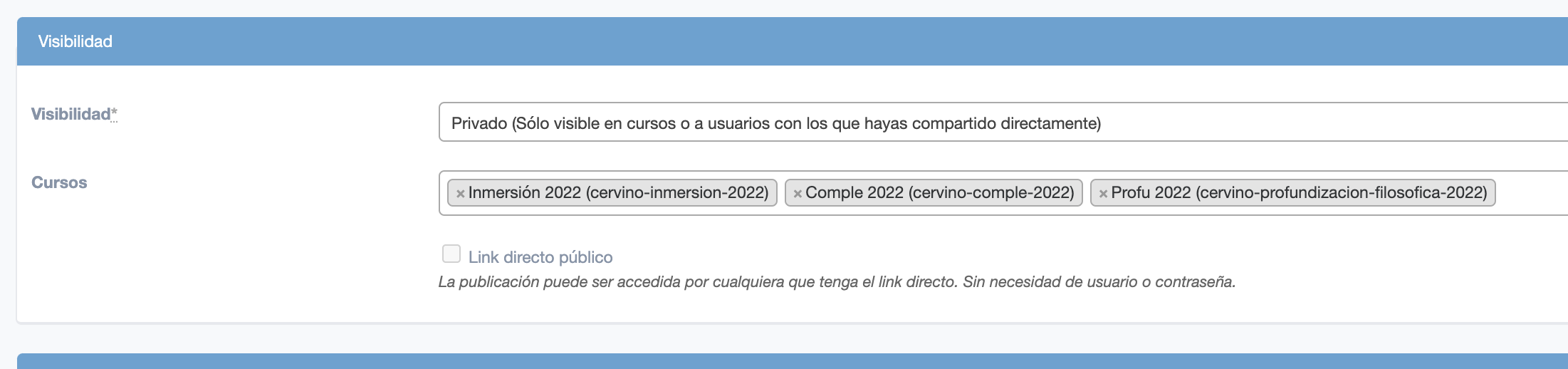
If you choose “private” visibility, you can select the courses in which to include the publication.
Share activities with a specific school
You can do this by going to publication → visibility → available to be replicated by selected schools.
For students to see your publications, these selected schools must repost them 😉