
Share schedule grid with prospects
Automatic translation. View original
If you want to share the schedule grid with a prospect you can!
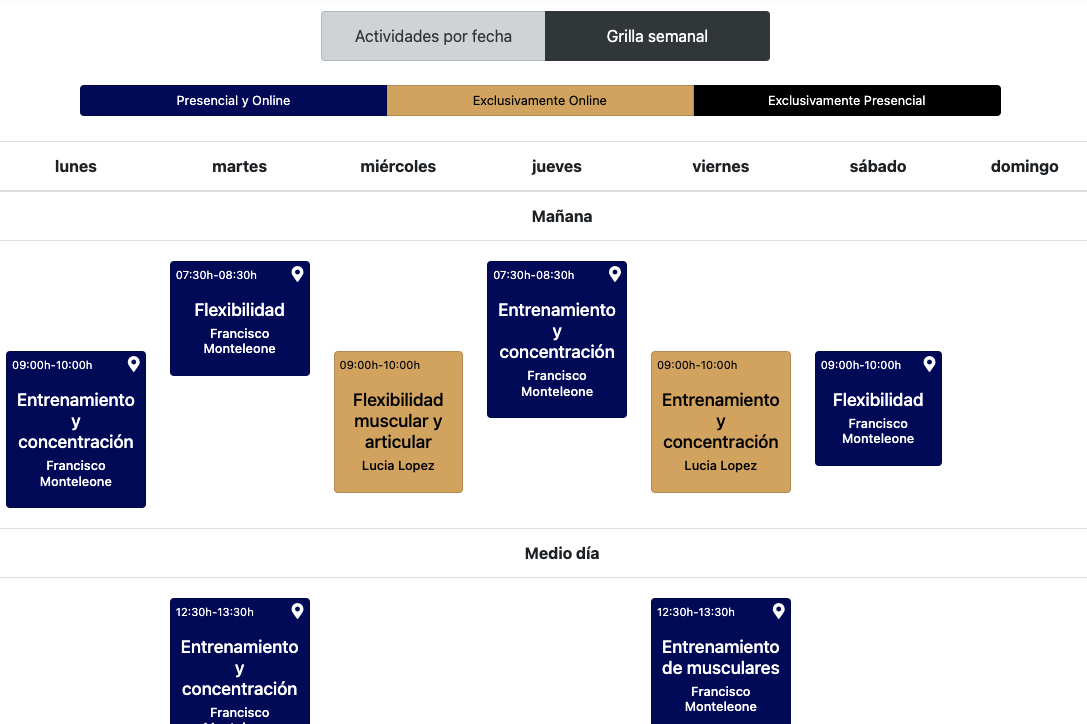
General schedule
The link https://learn.derose.app/a/NOME_DE_SUA_ESCOLA/schedule/preview allows viewing the schedule grid that a beginner user with enabled lives would see.
See the article School name for links - vanity ID - to find out the name of your school for links.
The link will only show classes for aspirant level.
If you want to add classes for sádhakas add 26preview_options[user][level]=1 at the end of the link.
Schedule for a specific plan
With this tool you can share with the prospect the schedule that matches the specific plan they will purchase.
Go to the instructor panel to the option “Access > Access presets”.
Each access preset has its own link. Enter the one you want to share with the prospect and at the bottom of the screen you will see the link to be shared.
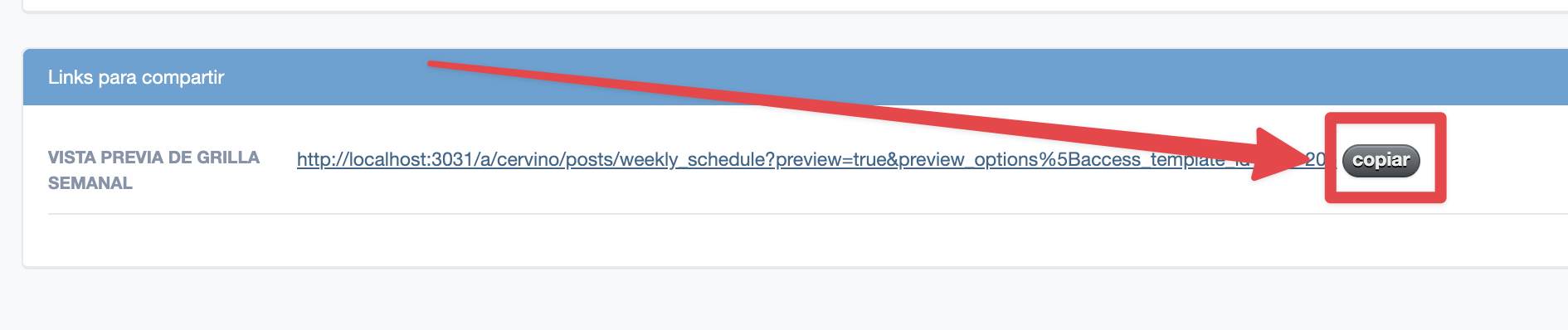
The link will only show classes for aspirant level.
If you want to add classes for sádhakas add 26preview_options[user][level]=1 at the end of the link.
Put on your own website
See: