Recurrent error in integration with Google Calendar
Automatic translation. View original
If your profile frequently shows a request to disconnect and reconnect Google Calendar, try the following:
-
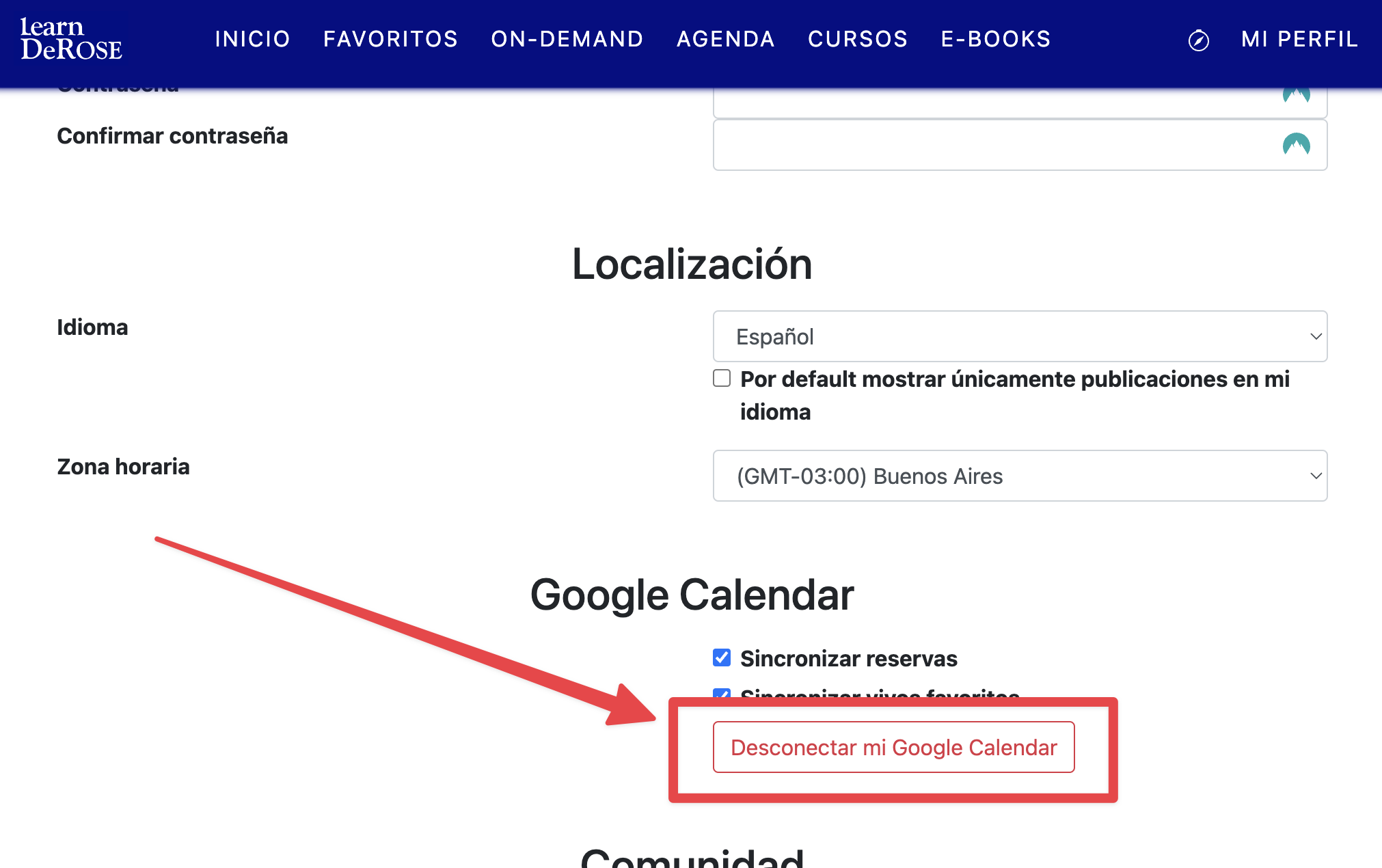
Disconnect Google Calendar in your Learn profile.
-
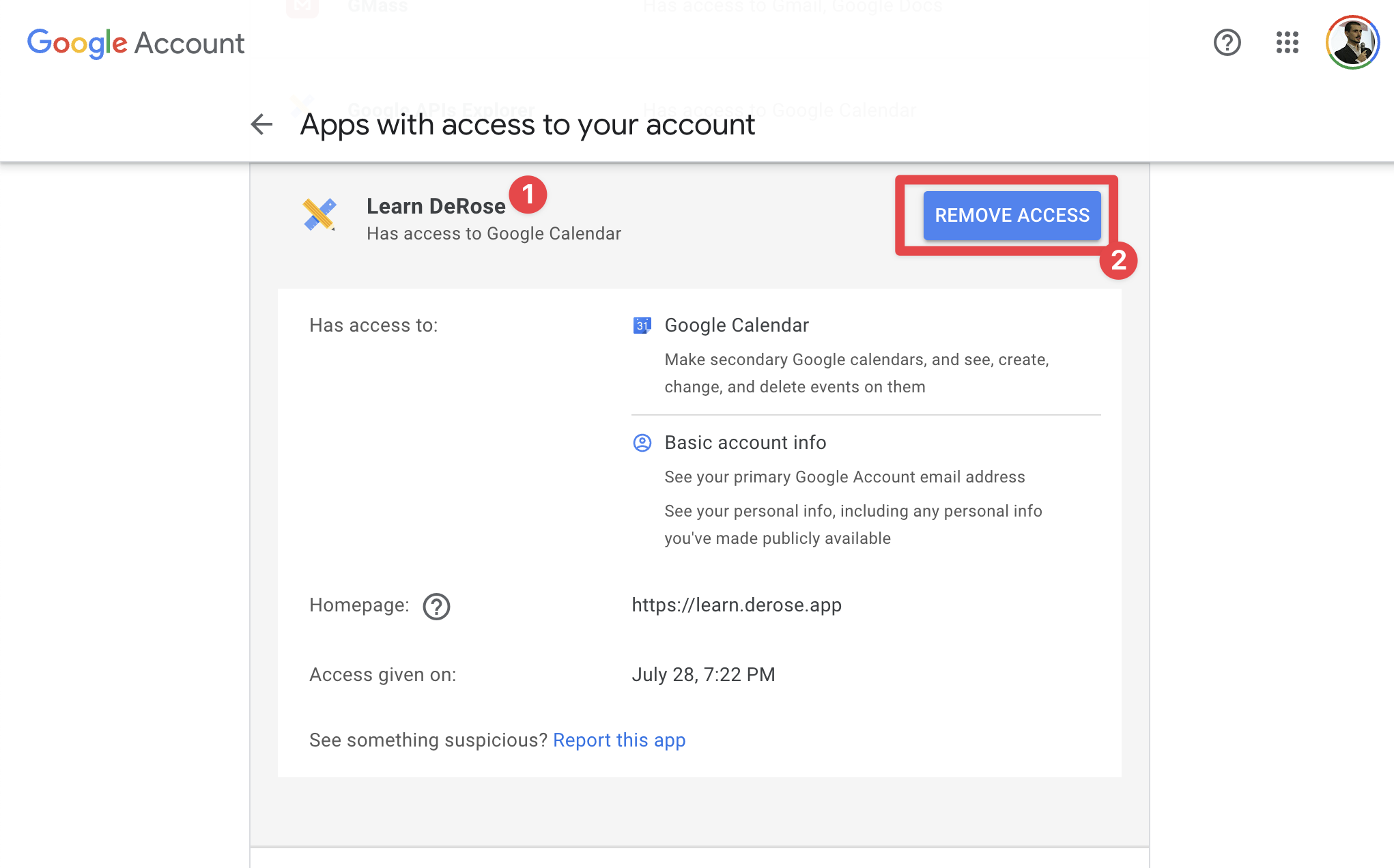
Enter the permissions of your Google account. Select “Learn DeRose” and click on “Remove access” (remove access).
-
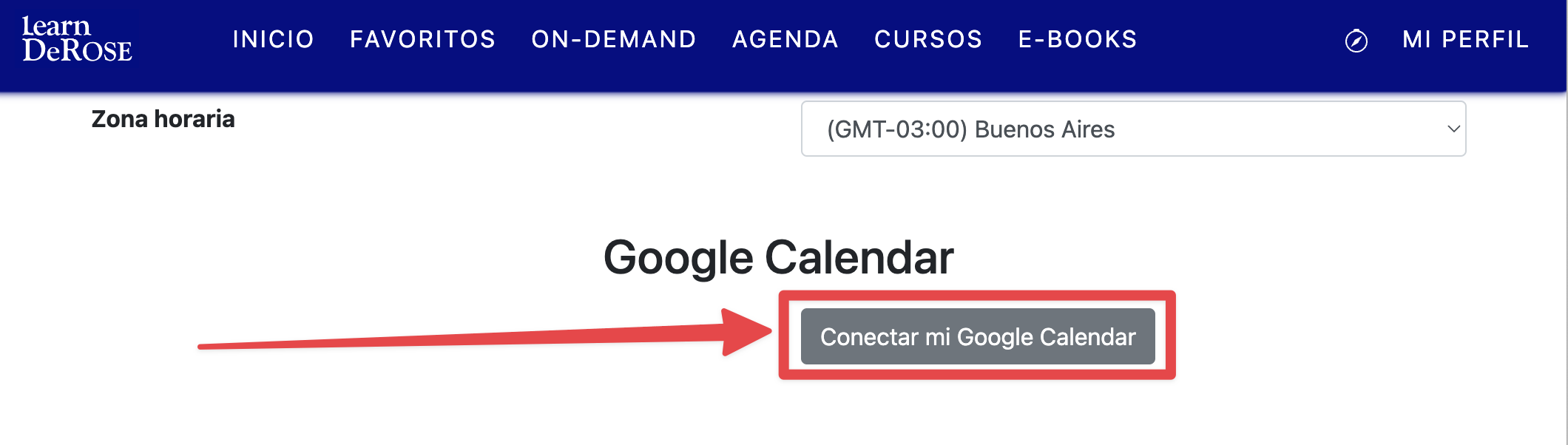
Reconnect Google Calendar in your Learn profile.
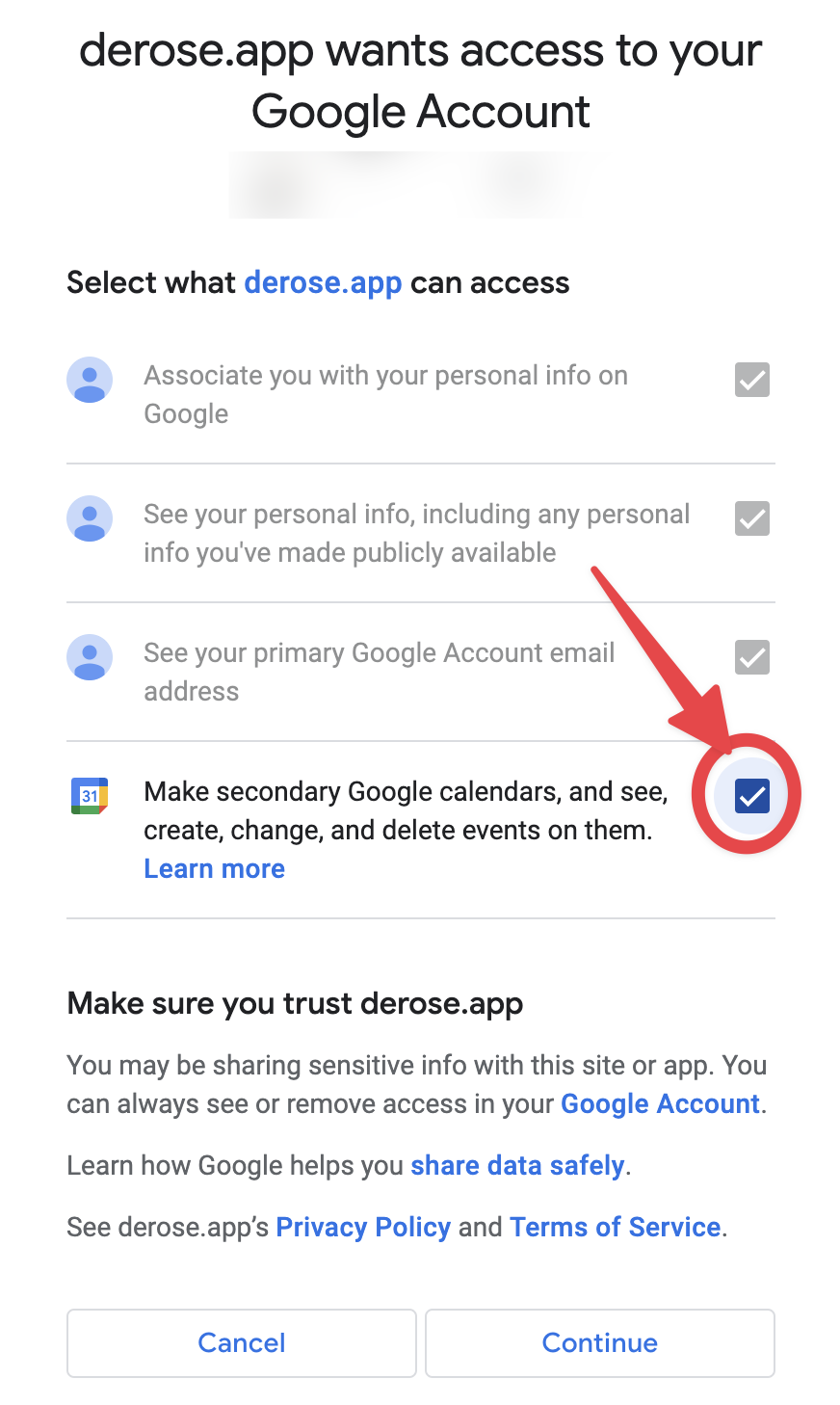
Make sure to enable all the permissions requested by the integration for it to function properly.