
Publish your classes on Wellhub/ Gympass
Automatic translation. View original
- Publish class on Wellhub
- Publish LIVEs on Wellhub with reservation
- Change class configuration on Wellhub
- Remove class from Wellhub
- Watch the step-by-step video
- How to check my classes published on Wellhub?
- How does my class appear on Wellhub?
Publish class on Wellhub
Once your account is connected with Wellhub (see How to connect your Wellhub/Gympass account ) in the advanced dashboard you will have a new “Wellhub” tab in your classes.
In this tab the button “Publish on Wellhub”
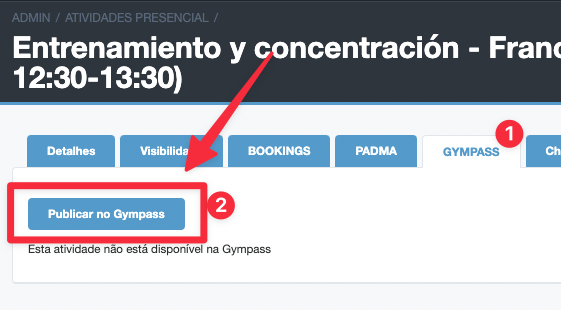
LIVEs that you make available on Wellhub will have their 'Direct Link' automatically enabled. This is necessary for Wellhub users to access.
In-person and online classes are published separately. Publishing an in-person class with streaming on Wellhub will only make the in-person class available.
Publication settings on Wellhub
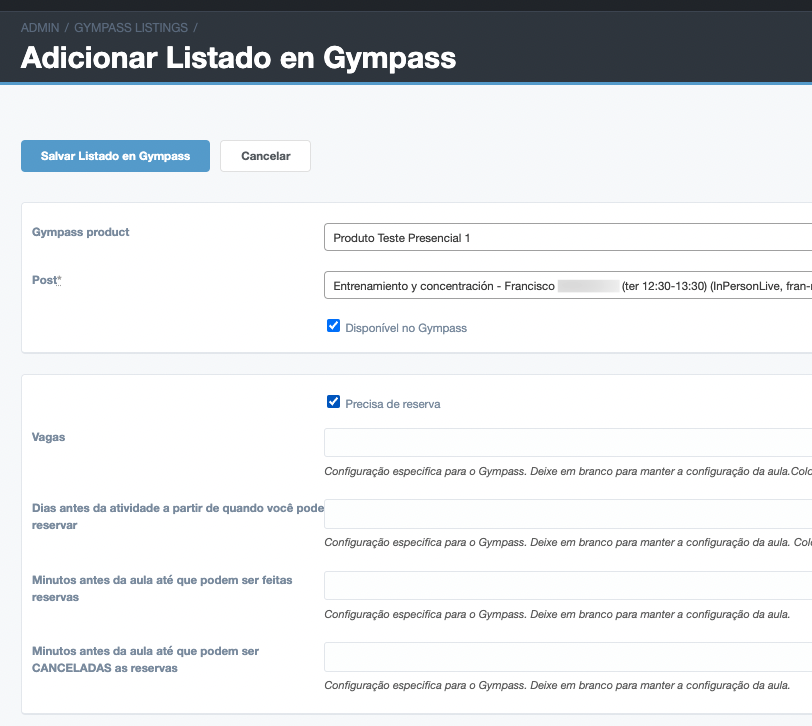
- Wellhub Product: These are the products or ‘contracts’ you have with Wellhub.
- Available on Wellhub: If you disable this field the class is removed from Wellhub.
- Requires reservation: If enabled users can reserve a spot through Wellhub. If disabled the class is presented as not requiring reservation like a “walk-in class”.
The following fields you can leave blank to keep the configuration already made in Learn's publication. You only need to change if you want a particular setting for Wellhub:
- Spots: Here you can set a specific spot limit for Wellhub.
-
Days before the activity from when you can reserve:
Indicates how many days before the class the spot reservation is OPEN. If you enter 0 the reservation will never be enabled. -
Minutes before the class until when reservations can be made:
Indicates the minutes before the class when the seat reservation is CLOSED. - Minutes before the class until reservations can be CANCELLED
Publish LIVEs on Wellhub with reservation
If you want to receive reservations through Wellhub for online content (LIVEs) you must:
- set the publication on Learn as NOT requiring reservations.
- configure the listing on Wellhub (see below) as YES requiring reservations.
This way Wellhub users will be able to make reservations on Wellhub, and when accessing Learn, they will be able to access the content without needing to register on Learn.
This is the current solution because Wellhub does not provide user information when granting access to the class.
Change class settings on Wellhub
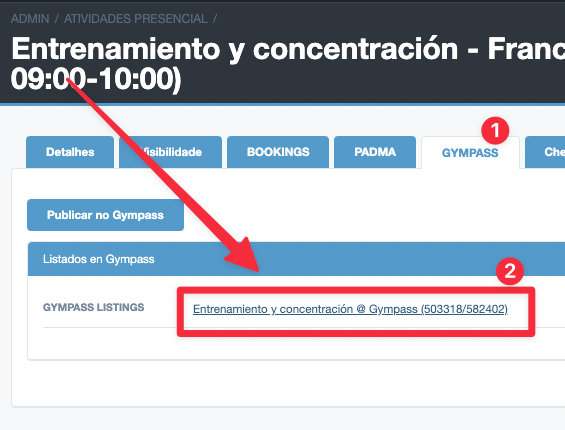
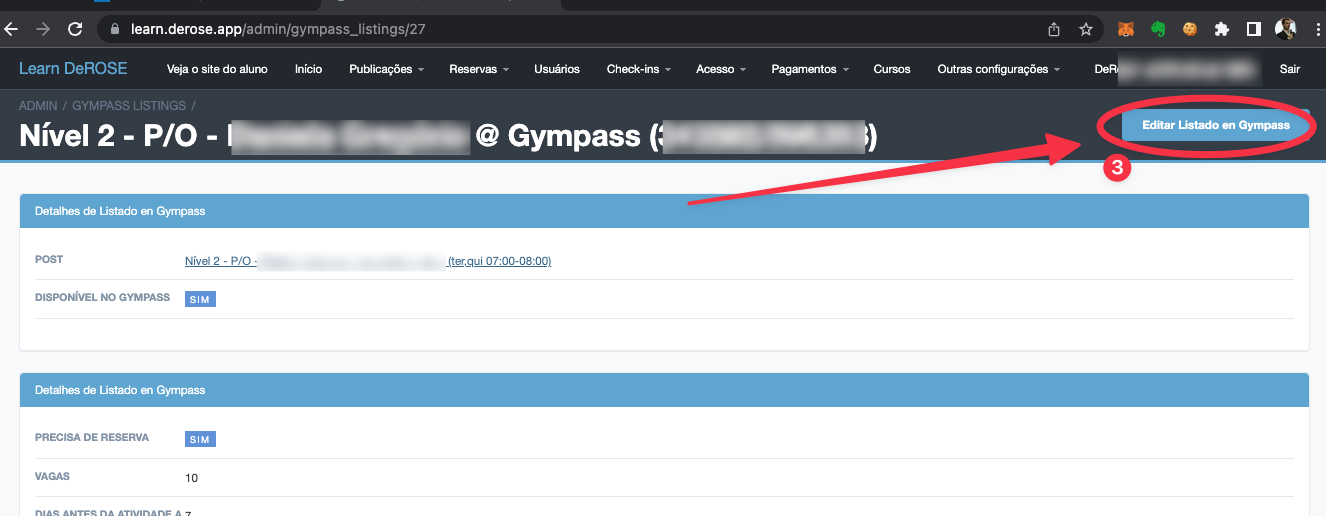
On the Wellhub tab, you can access the publication on Wellhub to make changes.
See the settings above.
Remove class from Wellhub
In the class settings on Wellhub (see the previous title “Change class settings on Wellhub”), disable the Available on Wellhub field.
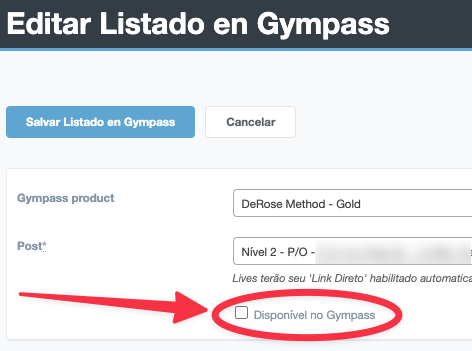
Watch the step-by-step video
How to check my classes published on Wellhub?
Currently, Wellhub does not offer a tool to preview your schedule as a student would.
The calendar they provide, where the school can view online classes, only shows classes created directly on Wellhub, it does not show classes created through integrations. They do not recommend using this calendar, it became outdated on the platform.
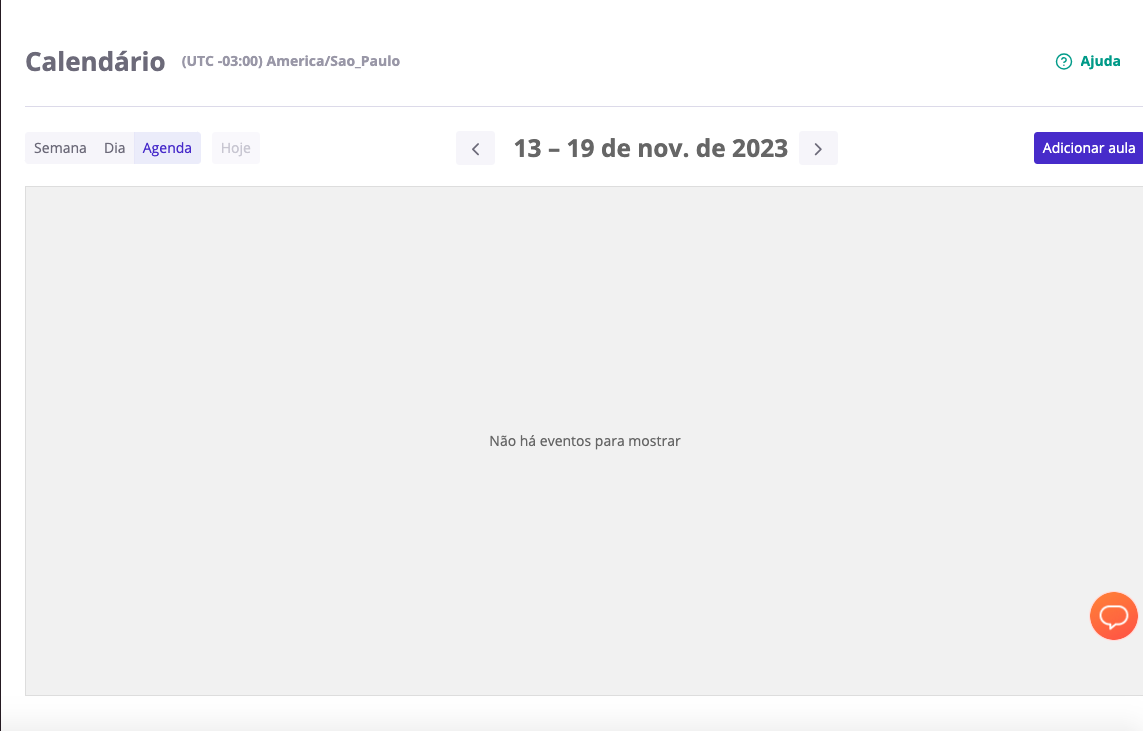
You can check which classes you have published on Wellhub directly in Learn. In the advanced panel filtering classes published on Wellhub:
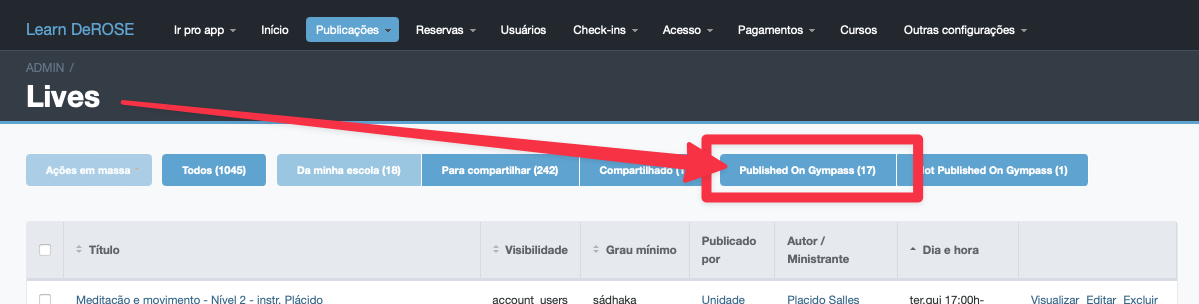
These are the classes that students see.
For more filters and information you can access the link https://learn.derose.app/admin/gympass_listings
How does my class appear on Wellhub?
Class available that does not require reservation

Class available that requires reservation

Class available that requires reservation but is full
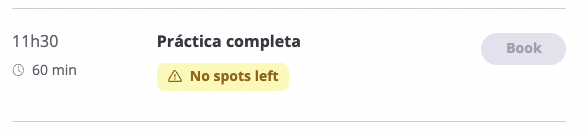
Class available that requires reservation but you still cannot make a reservation
