
Email account verification
Automatic translation. View original
Verify an email address (portugués)
If you want to send emails from PADMA your address must be verified.
List of verified addresses
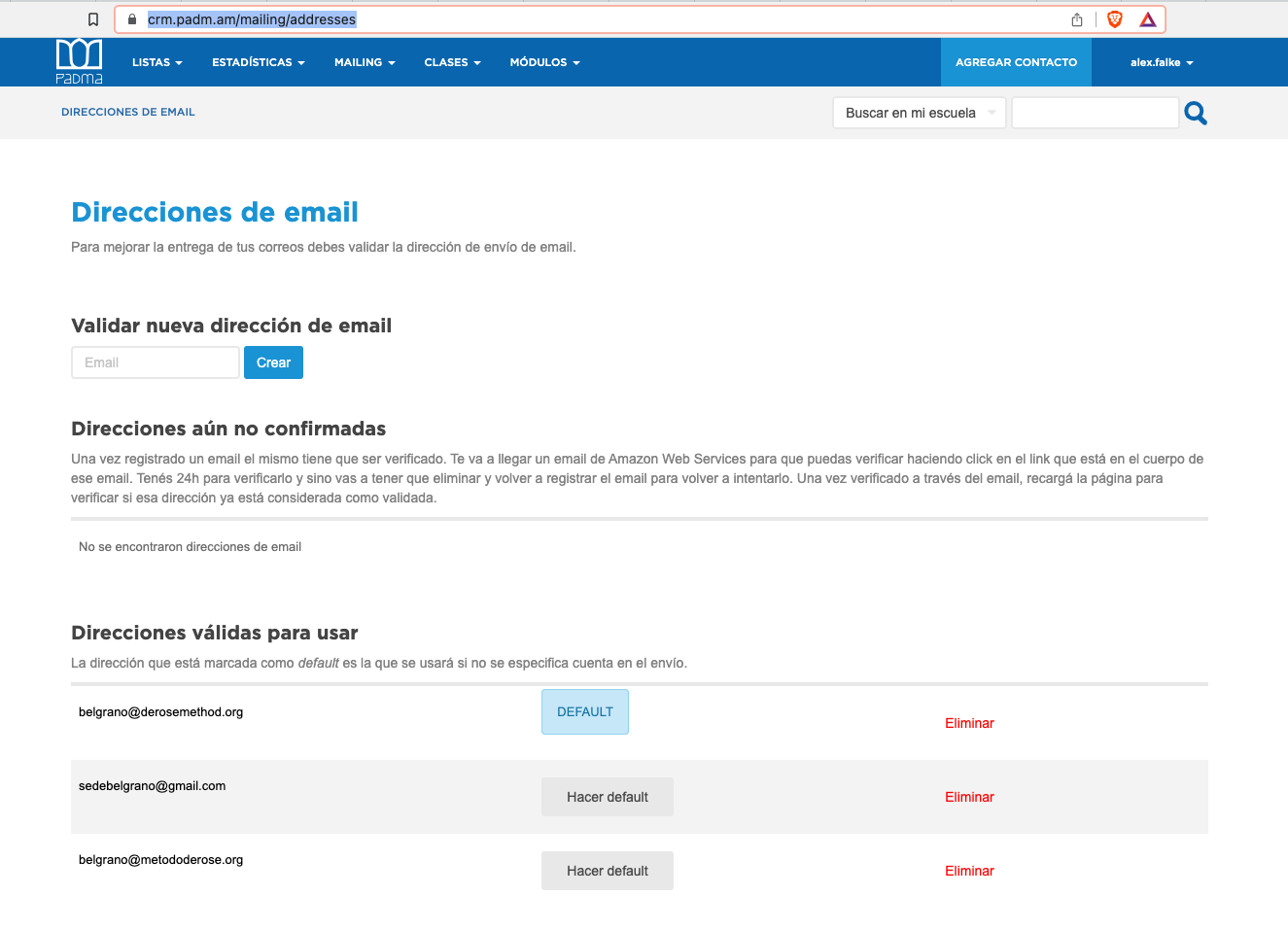
The list of verified email addresses of your school can be found at: https://crm.padm.am/mailing/addresses.
Adding an email address
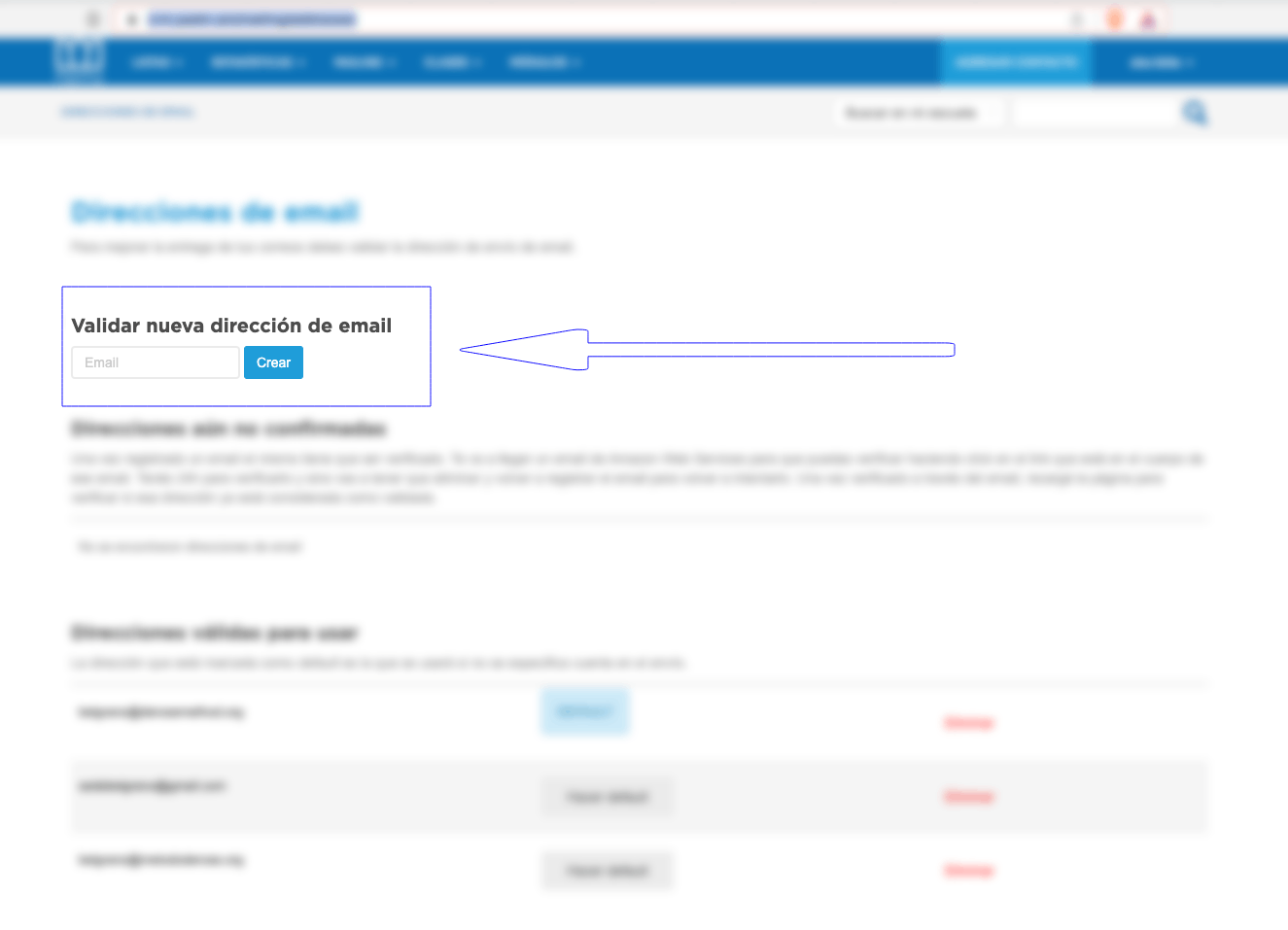
If you want to add an email address to send emails from this account, just go to the same address: https://crm.padm.am/mailing/addresses and, under the title: Validate new email address, type the new email address to be verified.
After clicking Create, go to this account's inbox. You will receive an email from PADMA similar to this:
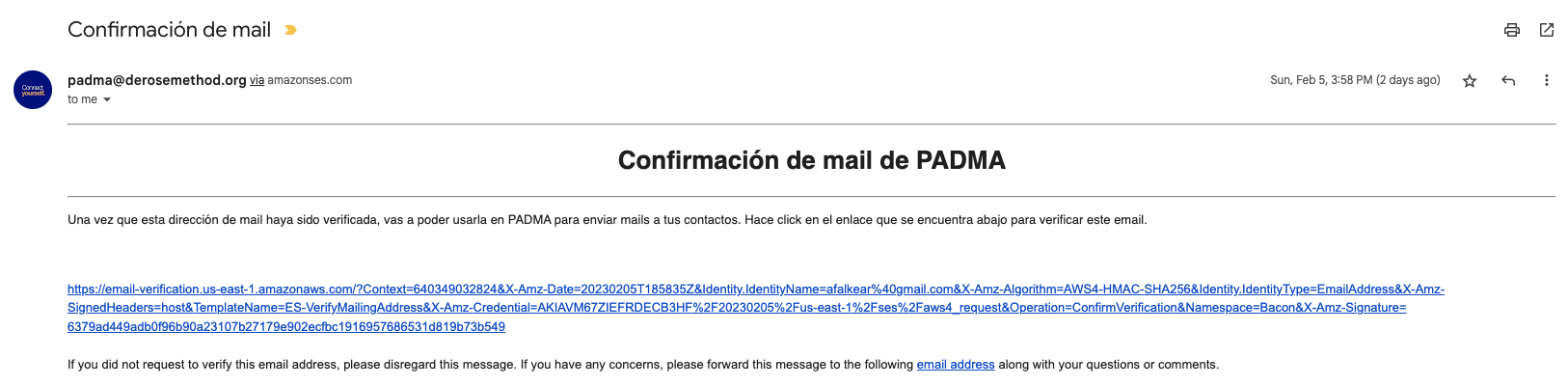
Then, just click the link (the first one, the long one!) and done! The email will now be verified.
Verify changes in Padma
You can be sure it is verified by refreshing the page:
https://crm.padm.am/mailing/addresses.
This email address should now be under the title: Valid addresses for use.
Verification of an email address (español)
If you want to send an email from an email address, it must be verified.
List of verified addresses
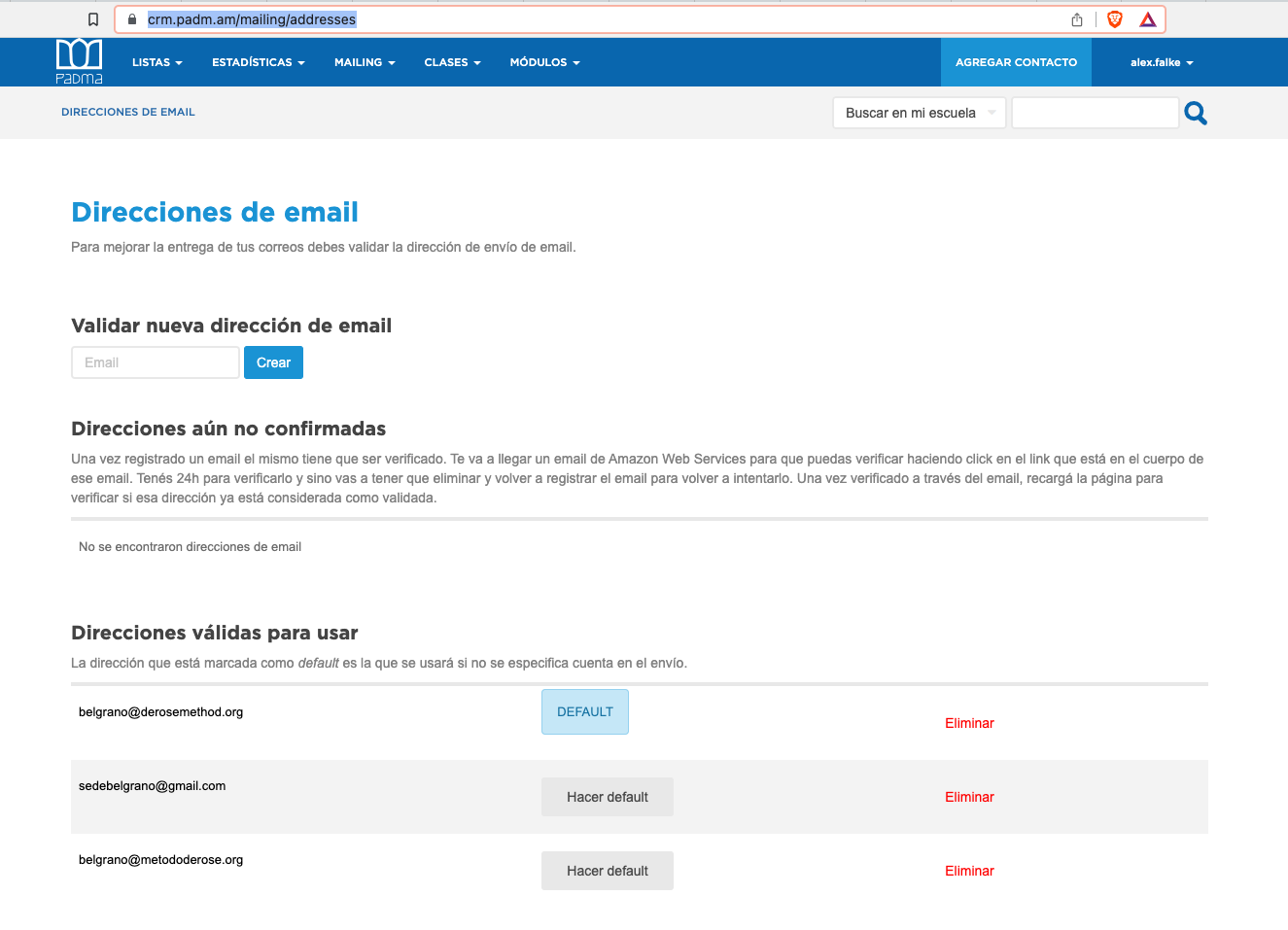
The list of verified email addresses of your school can be found at: https://crm.padm.am/mailing/addresses.
Add an email address
If you want to add an email address to send mails from that account, you just have to go to the same address: https://crm.padm.am/mailing/addresses and, under the title: Validate new email address, place the new email to be verified.
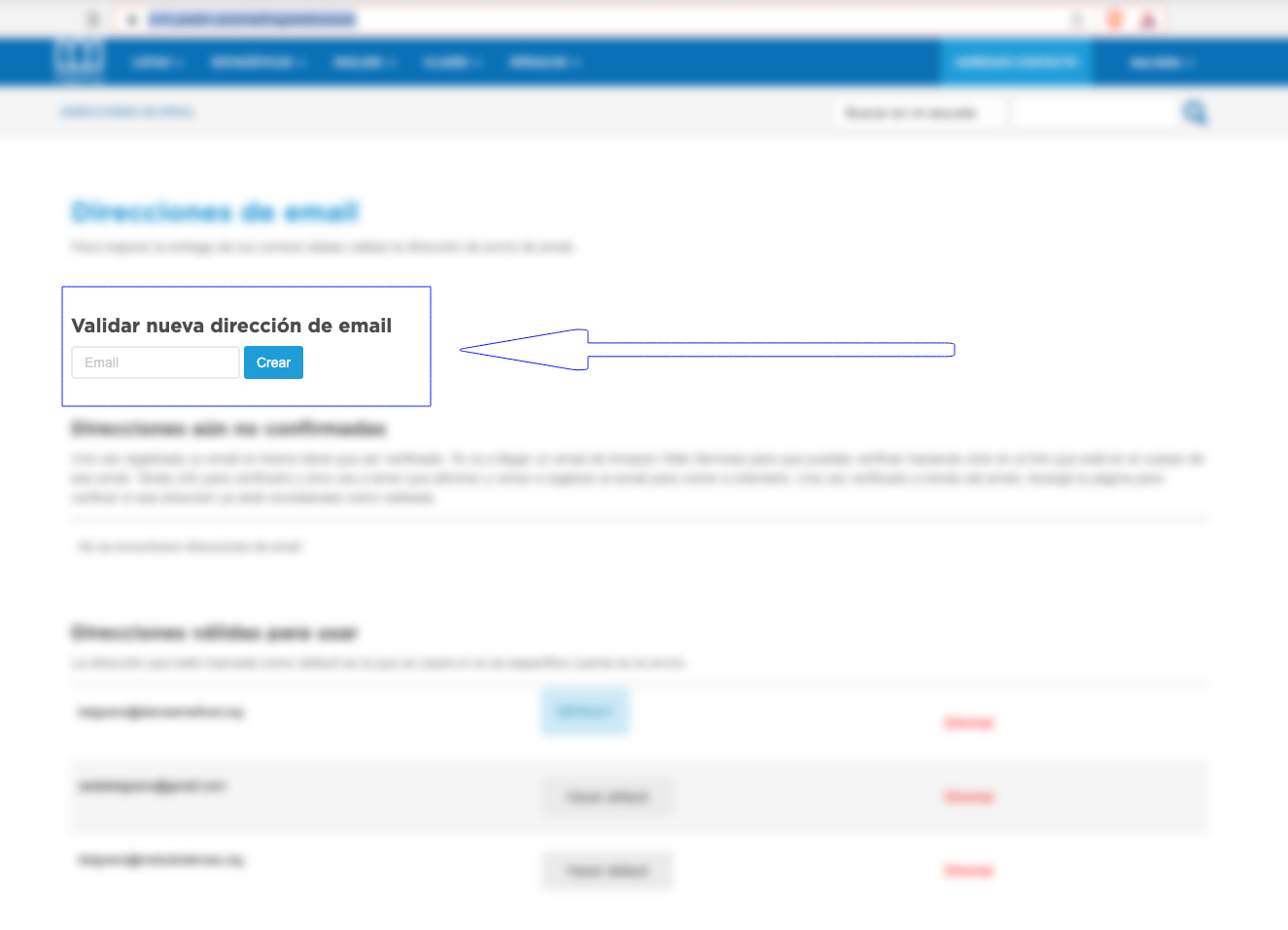
Once you have clicked on Create, go to the inbox of this account. You will receive an email from PADMA similar to this:
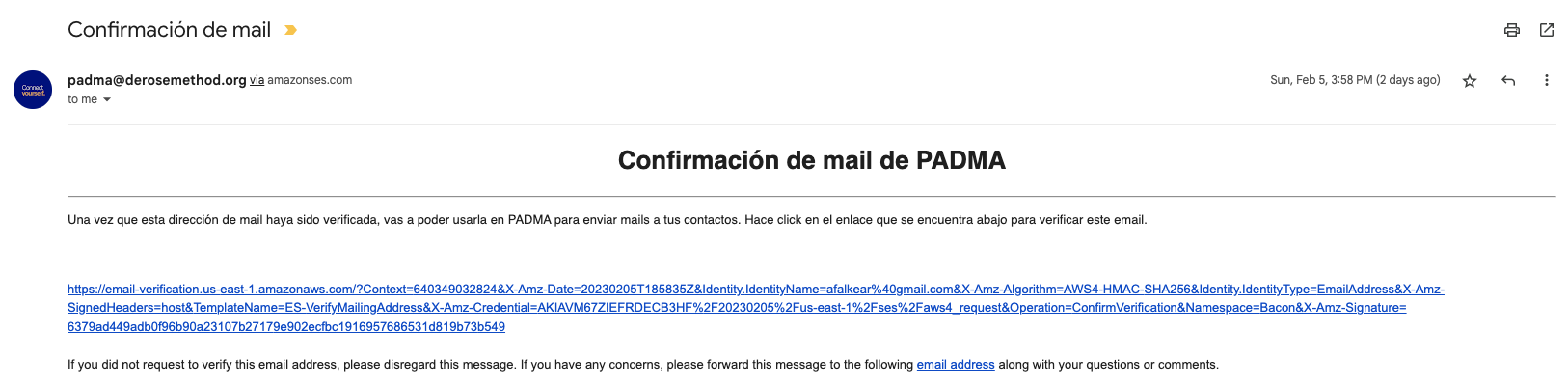
Then, just click on the link (the first one, the long one!) and done! The email will now be verified.
Verify changes in Padma
You can ensure it is verified by refreshing the page:
https://crm.padm.am/mailing/addresses.
That email address should now be under the title: Valid addresses for use.