
How Wellhub/Gympass Checkin Validation Works
Automatic translation. View original
The user must always present the checkin to the school. Automatic validation does not omit this protocol. It only makes it faster since the school does not need to validate the checkin manually.
Automatic data registration
When a person checks-in you will receive the data in your PADMA automatically.
If there is already a contact registration with GympassID or with the email as primary the data will be placed in the same profile. If the profile with these data is not found a new registration will be created and, if duplicated, you can merge the two unifying-them.
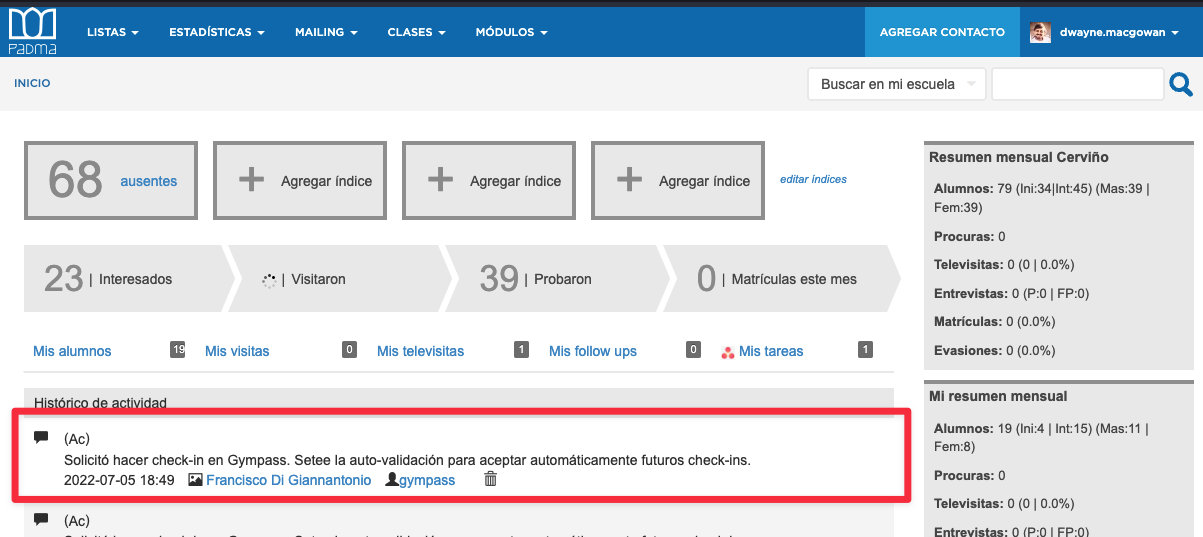
If the contact is a student a comment will be added to their profile.
If the contact is a former-student or prospect a visit will be registered with the marketing method “Gympass”. If you prefer you can disable this and in that case only comments will be created.
Auto-check-in validation
User check-ins will be validated automatically and a comment will appear on the contact's profile