# Access to the payment panel
In this panel you can change the credit card for payments, download the invoices, etc.
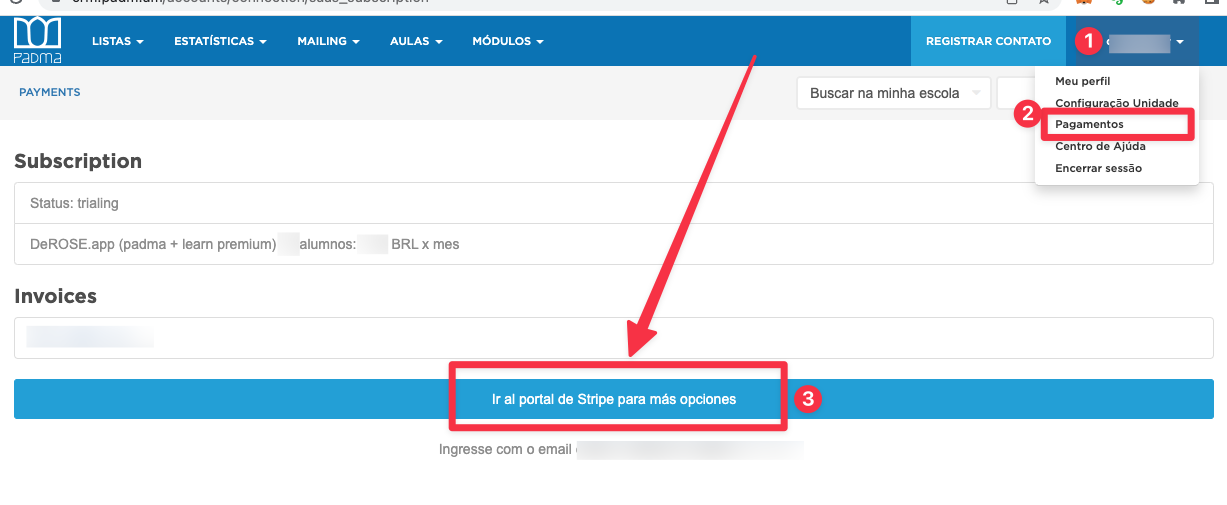
# OLD Payment screen
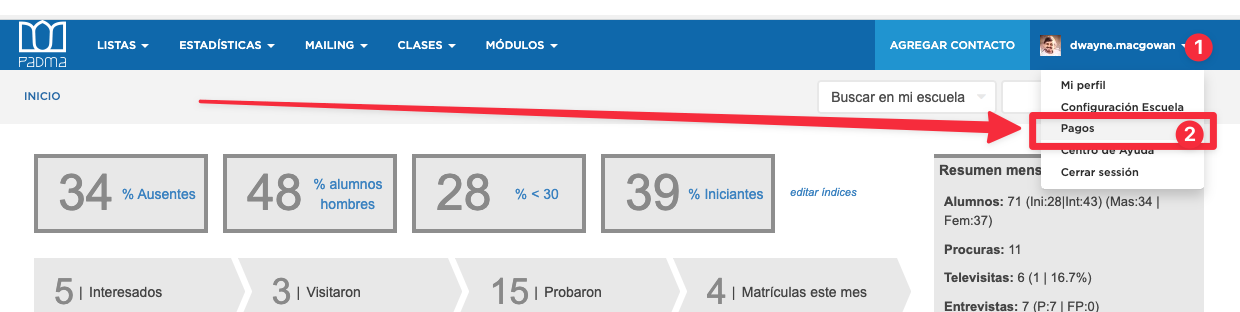
You can access the payment screen at this link: [https://accounts.padm.am/accounts/current/invoices/pending](https://accounts.padm.am/accounts/current/invoices/pending)
Or through the user menu:
# History of your payments made
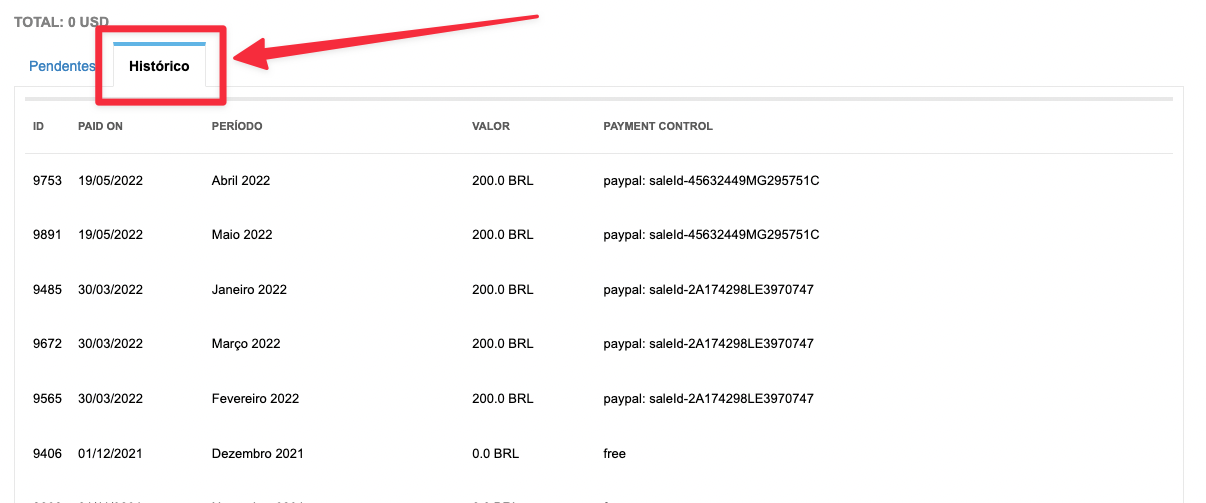
In the **History** tab you see all the latest payments we have recorded from your account.
*(Schools experimenting with the new subscription system have a different screen)*
# Make manual payment with card
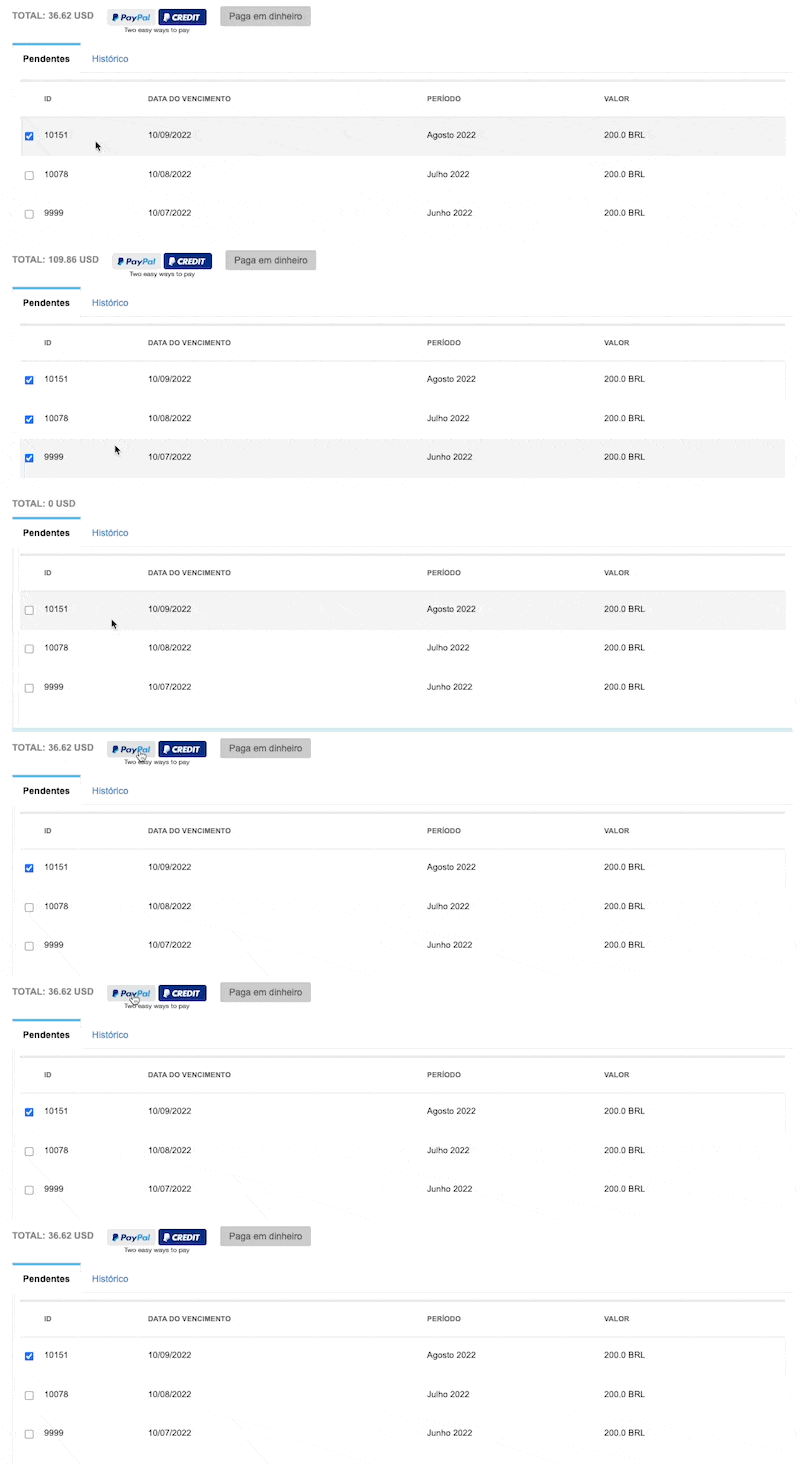
Write to us:[Contact](https://app.notion.com/p/4a5c74de19db45cf9703c63177a6cfeb)