Currently, once the user starts their subscription with the subscription link, the user's accesses and the value of their subscription are **independent** of the subscription link.
To change the user's accesses or the value of their subscription you can do it in the user profile itself.
If a user wants to change their plan at this moment it is done in two steps: (1) change the subscription value and (2) change the accesses.
# Change the subscription value
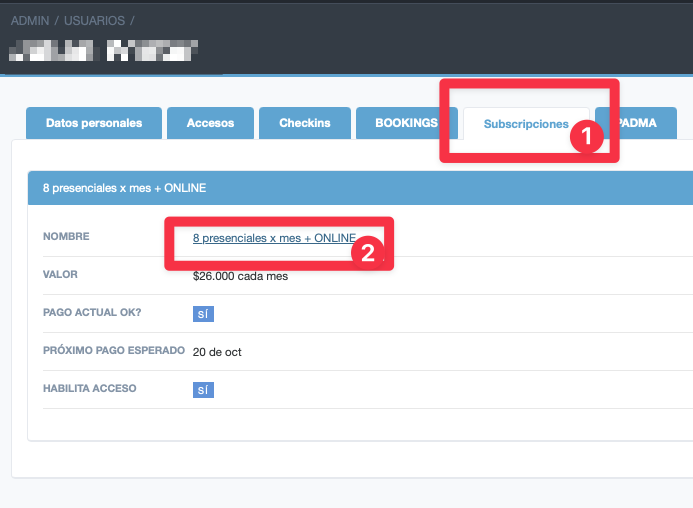
1. In the user's profile in the Advanced Panel, access the subscriptions tab, and click on the name of the subscription you want to change.
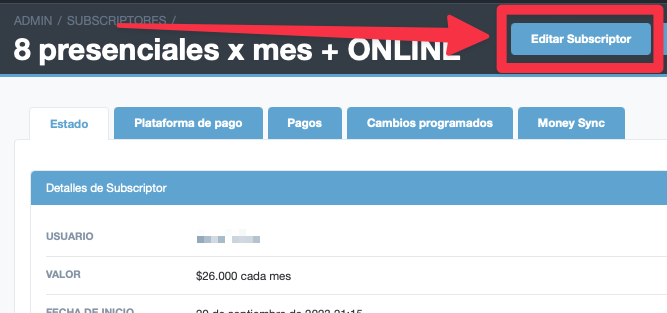
2. A) On the subscription screen, there is a button to change immediately.
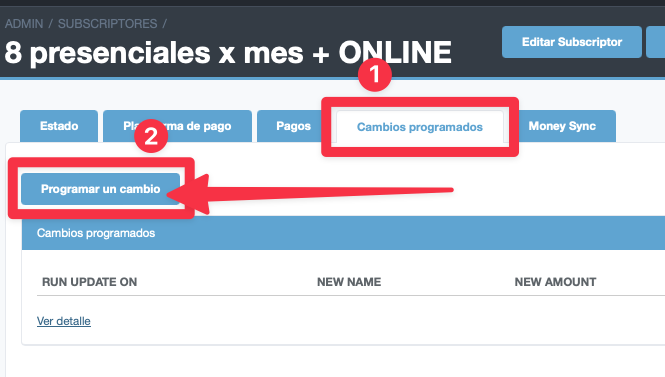
B) You can also schedule changes to be made in the future:
# Change the accesses
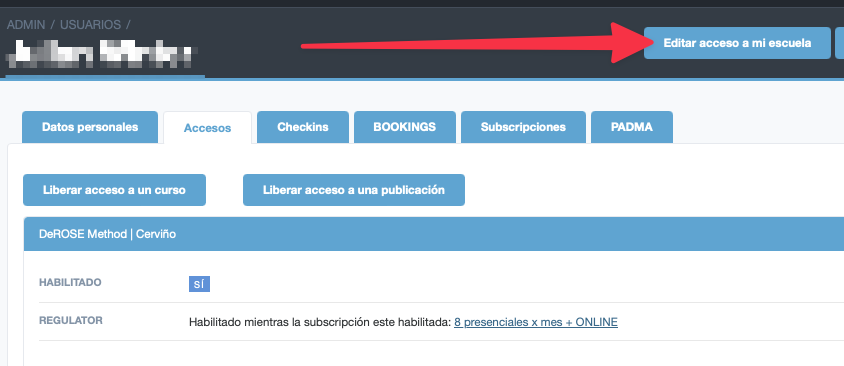
In the user's profile in the Advanced Panel there is a button to change the user's accesses.